AI face swap
Nexa maps facial features and blends them into the selected style with matched lighting and composition.
AI Face Swap for iPhone and iPad
Nexa places your face into curated styles and scenes with AI. Use it for polished profile photos, creative characters, cinematic portraits, or quick visual experiments.
Product information reviewed July 2026.

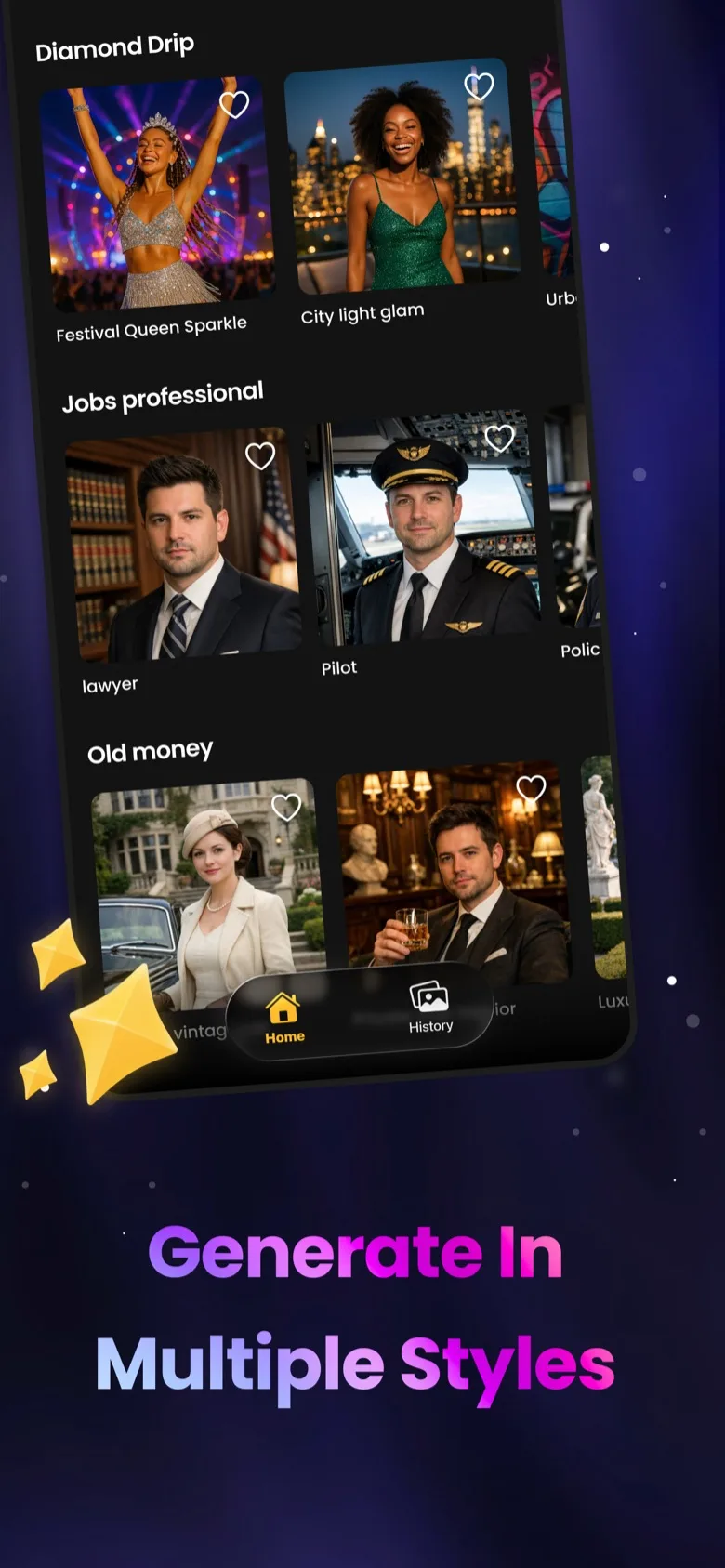

What Nexa Does
Pick the kind of image you need, from a profile-ready portrait to a creative avatar, and use one photo to generate a new result.
Nexa maps facial features and blends them into the selected style with matched lighting and composition.
Explore portrait, fashion, cinematic, fantasy, professional, and character-based visual categories.
Review your generated image, save the result, and use supported high-resolution output for sharing.
How to Use Nexa
Browse the available categories and pick the portrait, headshot, avatar, or scene you want.
Select a clear photo that gives the app a useful view of the face.
Let Nexa create the image, review the result, and save or share it when ready.
Frequently Asked Questions
Nexa can create AI face swap photos, styled portraits, profile photos, headshots, avatars, and creative character images from a photo you choose.
Choose a style, add a suitable photo, and let Nexa map and blend the face into the selected scene. You can then review and save the result.
Nexa is free to download. Some styles, features, and higher-quality output require optional subscriptions or in-app purchases.
Choose a style, add your photo, and generate a new portrait, headshot, avatar, or creative image from your iPhone or iPad.